How to play Chicken Road: one lane at a time, and when to take the money
The game
Chicken Road is a one-button game with one real decision in it. You set a stake, pick a difficulty, and move a chicken across a road lane by lane. Every lane you clear raises the multiplier; one wrong lane ends the round. This page walks through a round the way the game itself explains it, using the rules panel inside Chicken Road 2.

Chicken Road puts one question in front of you, over and over: step again, or take what you have. Everything else on the screen — the traffic, the sirens, the counter of players online — is decoration around that question.
This page follows a round from the first tap to the cash-out, and it uses the game's own wording where the game gives it. The rules quoted below come from the “How to play?” panel built into Chicken Road 2, read in demo mode on 22 September 2026, not from a third-party description.
Set the stake first
The bet box sits bottom left, with MIN and MAX on either side of the number and four quick chips under it — 1, 2, 5 and 10 in the display currency. At a crypto casino that display currency is whatever your account shows: dollars, euros, or the coin balance converted for the table.
Two things follow from the stake, and both matter more than they look:
- The bonus price is tied to it. In the Buy Bonus panel the price is a fixed multiple of your current bet. At a bet of 200 the four difficulty cards all read BUY 20,000; at a bet of 5 they all read BUY 500. That is one hundred stakes in both cases, whichever difficulty you pick.
- The ladder is printed in multipliers, not money. A 2.27x on the road means 2.27 times whatever you staked. The game shows the money version only at the top of the screen, in the TOTAL WIN banner.
Pick a difficulty, and know what you changed
Four levels sit in the middle of the bar: Easy, Medium, Hard, Hardcore. The rules panel gives the road length for each one:
- Easy — 30 lanes
- Medium — 25 lanes
- Hard — 22 lanes
- Hardcore — 18 lanes
The label above that row is the game's own, and it is blunt: chance of being shot down in Chicken Road 2, chance of collision in the original. A shorter road is not an easier road. Fewer lanes means the top of the ladder is reached in fewer steps, so each individual step has to be worth more — and each one is more likely to be the last. The ladders and the maximums are set out on difficulty levels.
Play the round
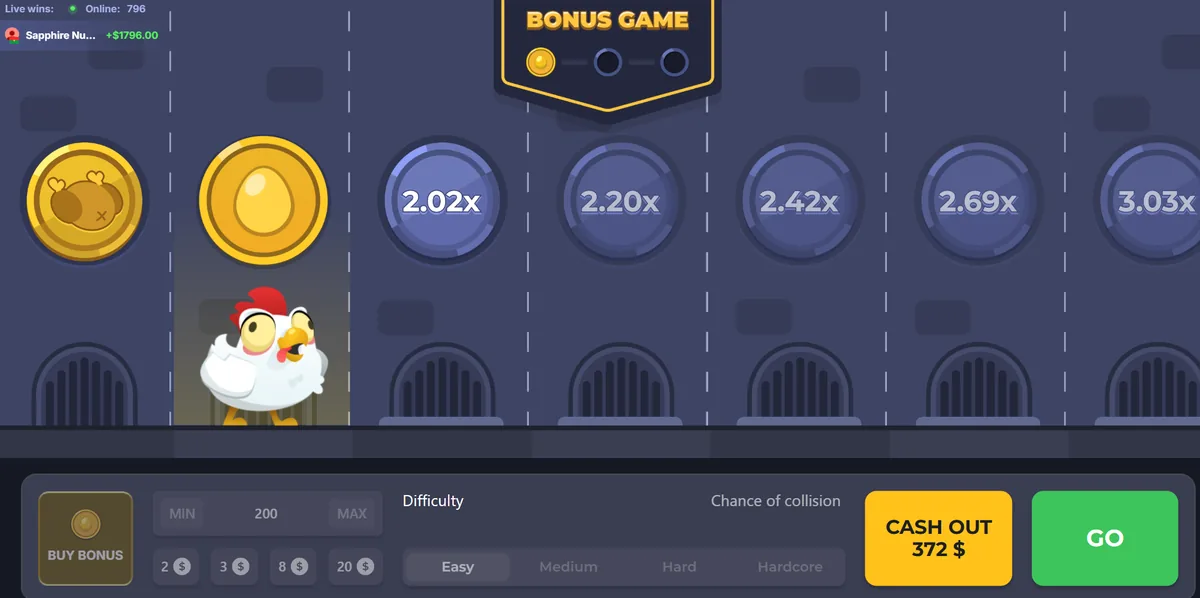
Press Play — GO, in the original Chicken Road — and the chicken leaves the kerb and the first manhole cover lights up with its multiplier. On Easy that first cover reads 1.01x, then 1.02x, 1.05x, 1.09x, 1.13x, 1.18x — the ladder starts almost flat and steepens as it goes. On Medium the same six steps read higher from the start: 1.06x, 1.20x, 1.36x, 1.54x, 1.76x, 2.03x.
Each tap moves the chicken one lane forward. Traffic crosses in both directions, and the round ends the moment the chicken is caught: the stake is gone and the multiplier with it. Nothing carries into the next round.
There is a keyboard shortcut for anyone playing a long session. The menu has an option to enable the space bar for “spin and go”, so a round can be played without moving the mouse.
Take the money
The cash-out is the whole game. You may withdraw your winnings at any stage of the round — the rules panel says exactly that — and the number you take is the multiplier under the chicken's feet, not the one glowing two lanes ahead.
A practical way to hold yourself to it: write the exit multiplier down before you press Play, not after the chicken is halfway across. On Easy the ladder needs a long, quiet run to reach 2x; on Hardcore the same 2x is two or three steps away. Those are two completely different games, played on the same screen.
The three you collect
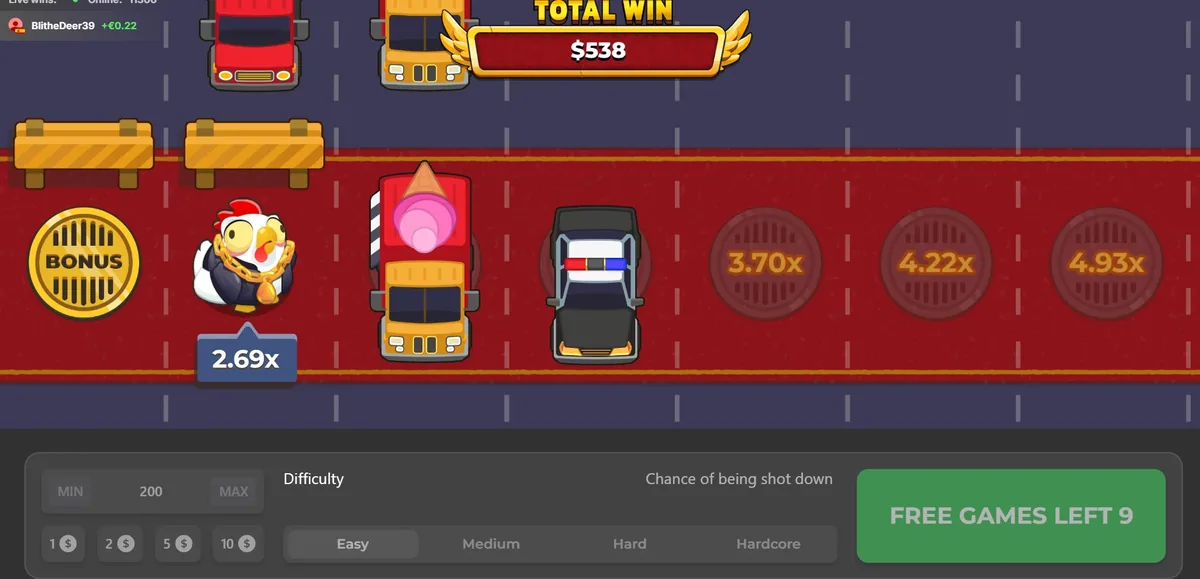
Three collectables picked up during play trigger the free-spins round, and the two games use different ones. In Chicken Road 2 the rules panel puts it plainly: collect 3 lights during play to trigger Free Spins, or buy it directly. In the original Chicken Road it is three golden eggs, and the progress sits in a BONUS GAME badge at the top of the screen with three slots that fill in as you pick them up.
Inside the bonus the game plays itself. On each free spin the chicken automatically stops one step before the danger, reaching the maximum multiplier for that spin, and when the spins run out the total accumulated multiplier is cashed out automatically. That is why the bonus is the one part of Chicken Road with no decision in it at all — and also why the Buy Bonus button exists. What a bought bonus actually returned in four recorded demo rounds is on the bonus round.
One line in the rules worth reading twice
At the bottom of the panel, after the shortcuts: malfunction voids all pays and plays. It is standard across casino software and it means what it says — if the round breaks, the round did not happen. Keep that in mind before assuming a disconnection cost you a win, and prefer a connection you trust to a phone hopping between cells.
What the game does not tell you
The rules panel gives the lane counts, the bonus rules and the shortcut. It does not give a return-to-player figure on the screens we read, and it does not publish the per-step probability behind “chance of being shot down”. Where an operator publishes an RTP for the game in its own lobby, that number belongs to the operator's page and should be read there. We do not print one here, because we have not read one from a source we can point you at.
It also does not tell you where the car is, and neither does anything else: the round is settled on the operator's server before the first frame is drawn, which is the whole reason hacks and predictors cannot work.